
Giving my avatar a face, and a body that talks
Part 3 of a three-part series on building expressive, real-time AI avatars. Part 1 covers where this started; part 2 gets the LiveKit agent and its behaviour stream running.
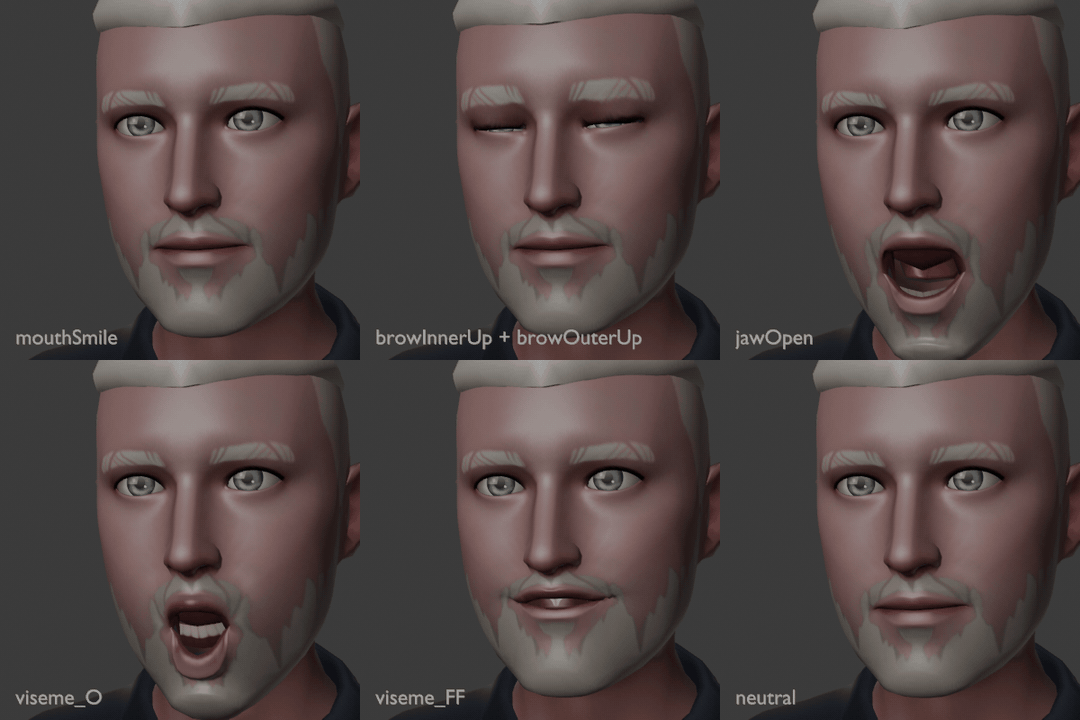
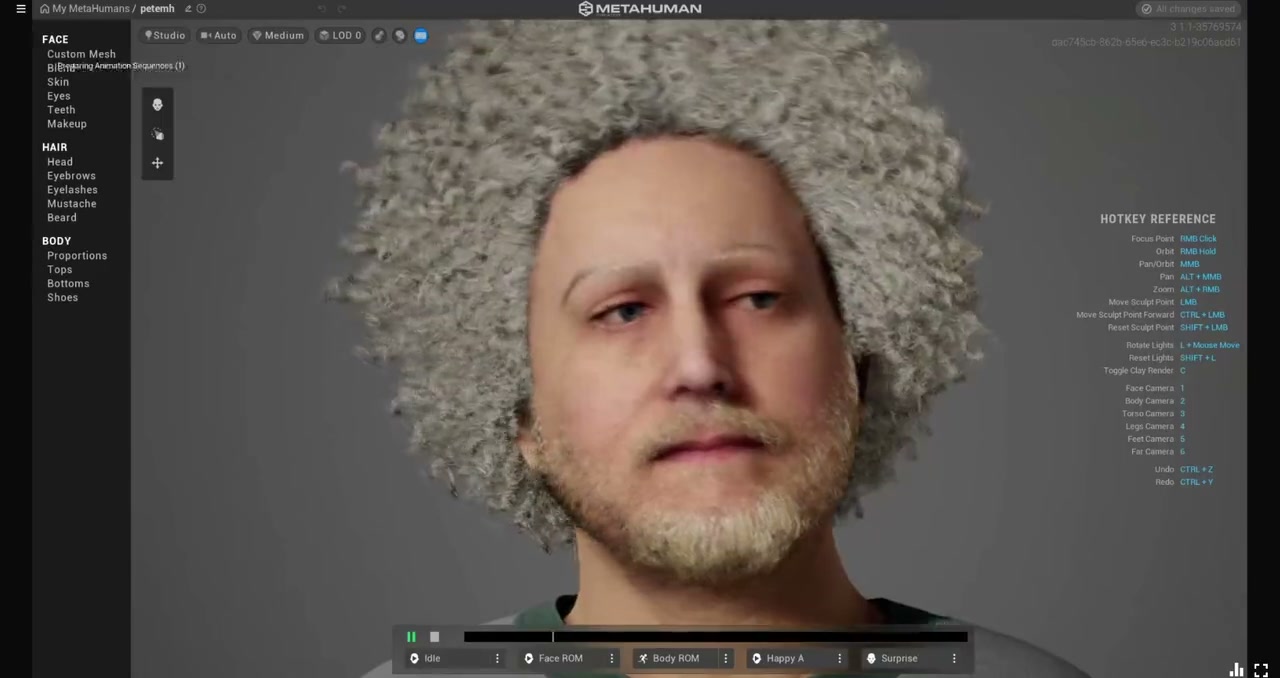
In part 2 I set up a LiveKit voice agent that sends a behaviour stream next to its audio: emotion, gaze, gestures and listening cues, for any renderer to act out. The MetaHuman avatar I demoed at re:Invent 2024 (part 1) could only move its lips; this post is about everything else.
To demo any of that, I needed an avatar that could actually make faces.
The avatar I had
Because the avatar now renders on each viewer’s device rather than on a GPU in the cloud, I swapped the MetaHuman for something lighter (part 1 explains why). I wanted to use my avatar: the Ready Player Me version of me that I’d used in talks before. I couldn’t download it again; the Ready Player Me model URL no longer resolves for me. The copy I could find was embedded in an old PowerPoint deck.
A .pptx is just a zip file, and 3D models sit in it as ordinary glTF files:
ppt/media/model3d13.glb ← me
I extracted it and converted its materials with gltf-transform metalrough, and it loaded into three.js fine. Then I tried to make it smile, and nothing happened. Office exports strip the avatar down to the basics:
- one merged mesh (head, body, clothes, eyes and teeth all in a single object)
- a full Mixamo-style skeleton, so head, eyes and arms can be posed
- no blend shapes at all: no smile, no blink, and not even
jawOpen
The skeleton meant gestures were possible. The missing blend shapes meant the face was a mask. The one piece of good news was that, inside the merged mesh, the eyes and teeth were still separate loose parts. So the mouth had an inside, and opening it wouldn’t show a hole.
Options for adding blend shapes
| Option | Cost | Notes |
|---|---|---|
| Blender’s Surface Deform + “Save as Shape Key” | free | Works, but by hand it’s one shape at a time, and there are 72 of them |
| Mesh Data Transfer add-on | free | Projects shape keys between meshes with different topology |
| Faceit (Blender add-on) | paid | Generates ARKit shapes fitted to your face from landmarks you place |
| Polywink | paid per model | Upload a head, get 52 ARKit shapes back |
All of the transfer options need a source face that already has the shapes. The TalkingHead project ships Ready Player Me avatars with the full set: the 52 ARKit blend shapes, the 15 Oculus visemes and a few extras. Its brunette.glb is built on the same Ready Player Me base mesh as mine, so it was the obvious candidate. (Licence note: it’s CC BY-NC 4.0, so I use it only locally and never put it in the repo. TalkingHead’s mpfb.glb is a CC0 alternative.)
I went with a script, so the whole thing is repeatable. Here’s how it works.
Step 1: warp the source face onto mine
The two faces are both Ready Player Me, but their proportions differ quite a bit:
| Distance between the eyes | Nose → mouth | Mouth → chin | Mouth width | |
|---|---|---|---|---|
| source | 66 mm | 33 mm | 43 mm | 41 mm |
| mine | 59 mm | 29 mm | 53 mm | 50 mm |
If you just scale one onto the other, the blink lands a few millimetres off the eyelids and the lips miss each other. So the script finds 18 landmarks on both faces automatically:
- each eyeball’s front, inner and outer corners, top and bottom
- the nose tip
- the centre of the mouth seam and the two mouth corners
- the chin
- the neck, head and head-top bones
It then fits a thin-plate spline to those landmarks. That’s the smoothest 3D warp that carries each source landmark exactly onto its partner. The source head and every one of its 72 shapes go through the same warp, so the offsets come along correctly too.
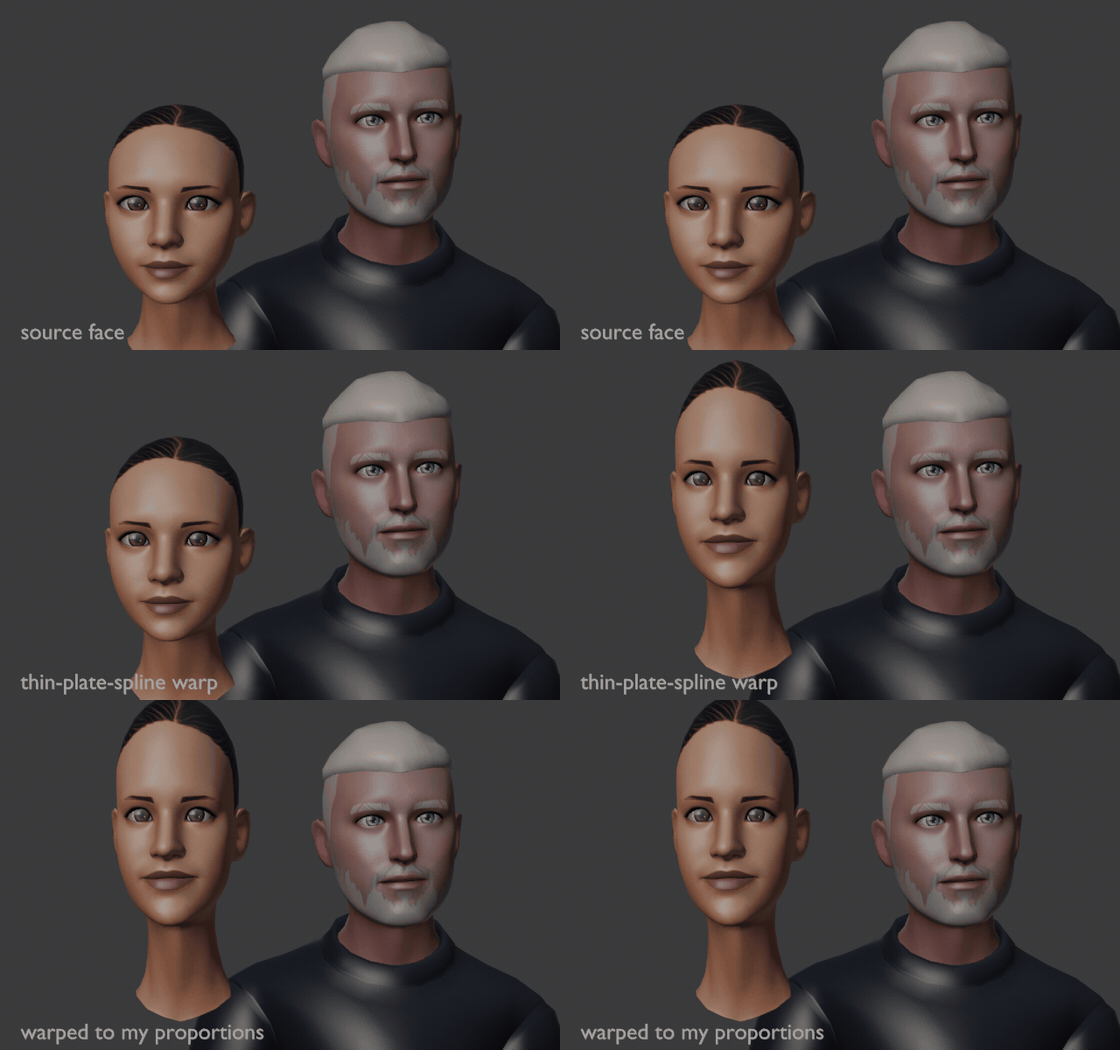
After warping, the median distance from my face to the source surface is 2.6 mm.
Step 2: copy the offsets across
For every vertex of my face, the script:
- finds the nearest point on the warped source surface
- takes the barycentric blend of that triangle’s shape offsets, for all 72 shapes at once
- fades the offset out for vertices more than about 4 mm from the surface. This covers hair and anything else that isn’t skin.
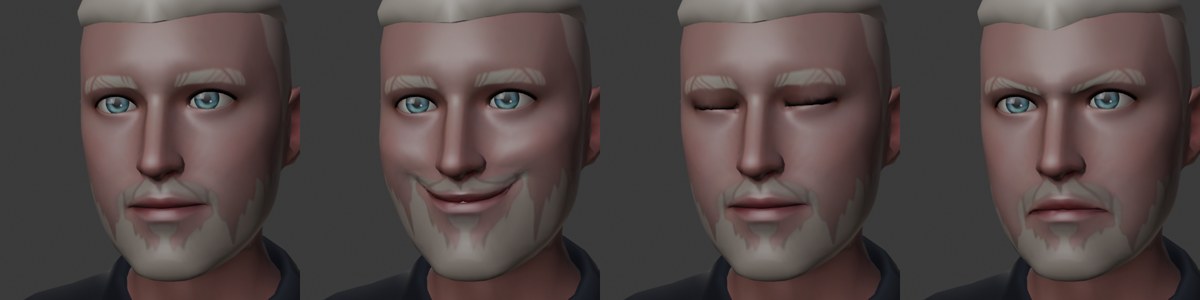
On the first render, the smile, blink and brows looked great straight away:
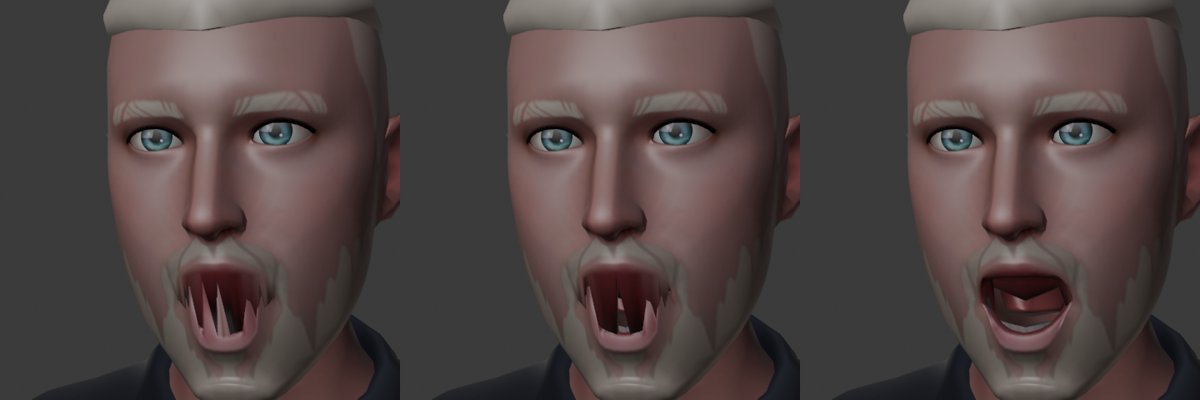
jawOpen didn’t:
Step 3: what went wrong with the mouth
I wrongly suspected the teeth first. Teeth are rigid, so it makes more sense to move each tooth piece as one solid unit (a Kabsch fit to the source tooth part it overlaps) than vertex by vertex. That’s the middle image. It’s the right thing to do, but the spikes stayed.
The real problem was the lip seam. With the mouth closed, my upper and lower lips are a millimetre apart. A “nearest point” lookup for a vertex on the bottom edge of my upper lip could land on the source’s lower lip, and then jawOpen dragged that vertex down with the chin.
The fix is to label each vertex near the mouth as upper or lower on both faces, and only let it sample from the matching lip on the source:
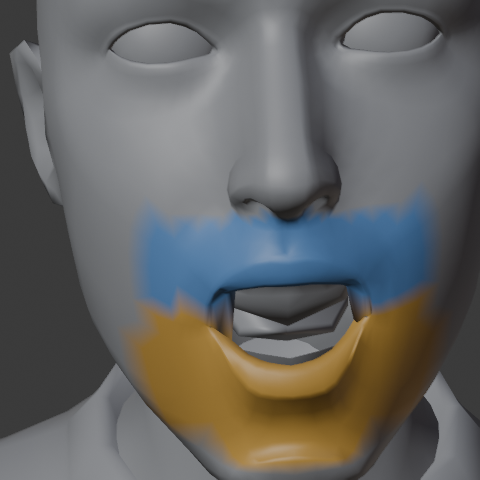
Getting that labelling right took three tries:
- Distance along the surface to the nose versus the chin. This failed because the inside of the mouth connects the two lips from behind, so distances leak across.
- Height relative to the mouth seam. This was close, but vertices on the seam are within a millimetre of it, so it’s a coin toss for them.
- Height, plus flood-fill for the seam. Clearly-above and clearly-below vertices are labelled by height. Seam vertices then take their neighbours’ label, which works because the two lip edges at the seam aren’t connected to each other. This one worked.
That gave the clean result on the right of the comparison above.
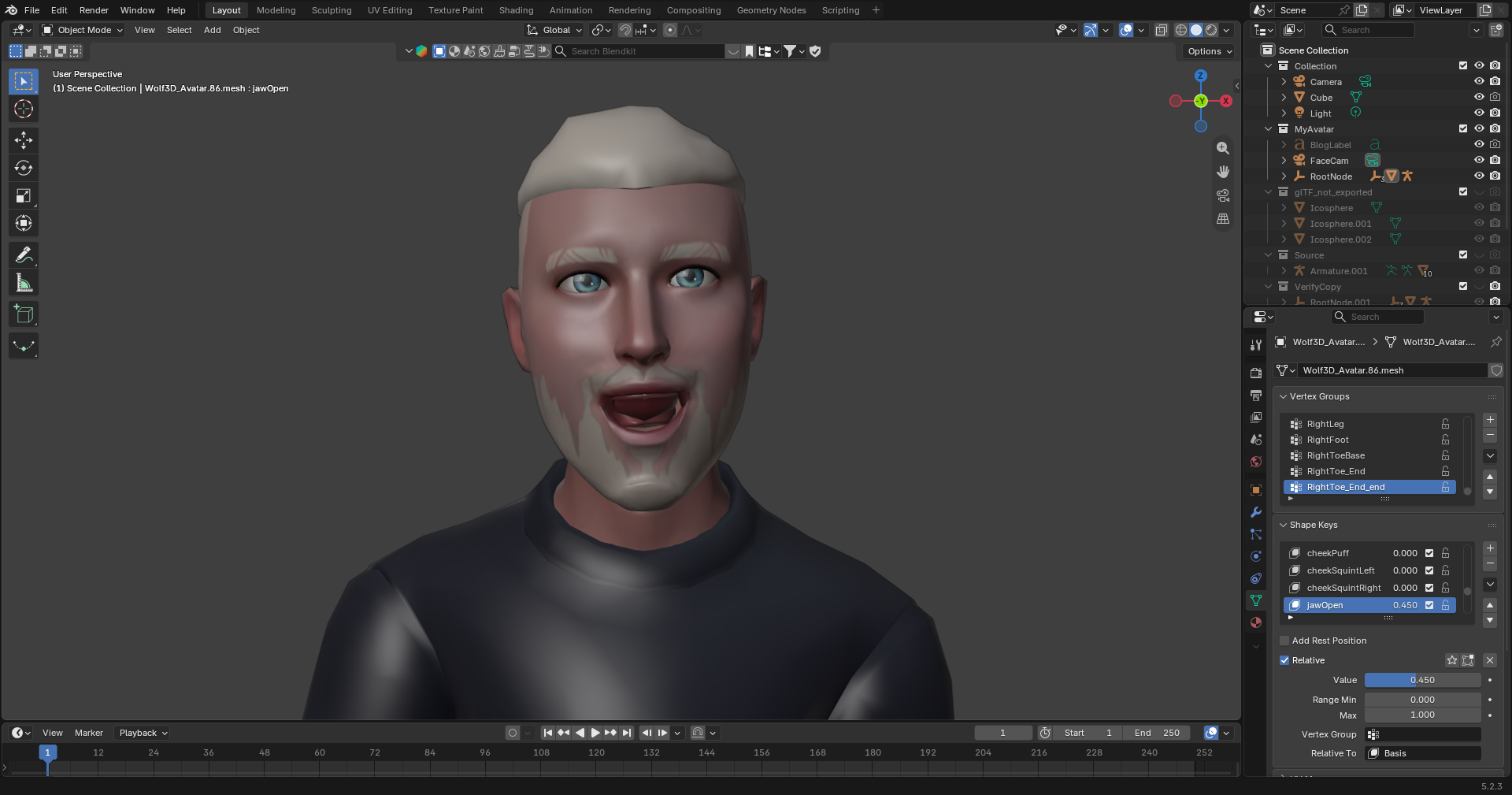
There was one more problem, which I only noticed once I was talking to the avatar live: the top teeth looked red. Two of the pieces I’d filed as “teeth” were actually the inside of the mouth. They sat inside the mouth like the teeth did, but ran almost 9 cm back into the head. Treated as rigid, they stayed put while the jaw opened, so the red lining showed in front of the teeth. Treated as soft tissue, they take their shapes from the source face’s own mouth interior, and the problem goes away. Even then, Ready Player Me’s upper lip hangs over the top teeth on open vowels. The source avatar does exactly the same. So the renderer lifts the upper lip slightly (mouthUpperUp) on “aa” and “E”. Here are the shape keys in Blender:
Step 4: lip sync from the audio
Now the model had visemes, but the lip sync only knew one number: how loud the audio was. I wanted actual mouth shapes, still worked out on the device from the agent’s audio. That way every renderer in the behaviour-stream design can do its own.
I didn’t want to ship a speech model to the browser yet, so I used a small spectral heuristic. Every frame, the browser’s AnalyserNode gives me a spectrum, and I measure three things:
- Openness (roughly F1): the energy centroid of 200–1000 Hz. “ah” sits high, while “ee” and “oo” sit low.
- Spread versus rounded (roughly F2): the energy centroid of 900–3000 Hz. “ee” sits around 2.8 kHz.
- Spectral tilt: the energy above 900 Hz compared with below it. This one I only found by testing. The mid centroid alone couldn’t tell “ah” from “oh” and “oo”, because all three sit around 1.2–1.6 kHz. Tilt separates them cleanly: about 0 dB for “ah”, and −20 dB for the rounded vowels.
From those I get weights for aa, E, I, O, U, plus SS from the hiss above 4 kHz. Each viseme is smoothed separately, opening fast and closing slower. Before wiring it in, I tested the function offline on generated speech:
| Test word | Strongest viseme |
|---|---|
| “father, ah” | aa (0.46) |
| “see, ee” | I (0.64) |
| “blue, oo” | U |
| “sss, hiss” | SS |
It isn’t phoneme-accurate, and “eh” comes out as a mix of E and I. But the mouth now changes shape with the sound instead of just flapping open and shut:
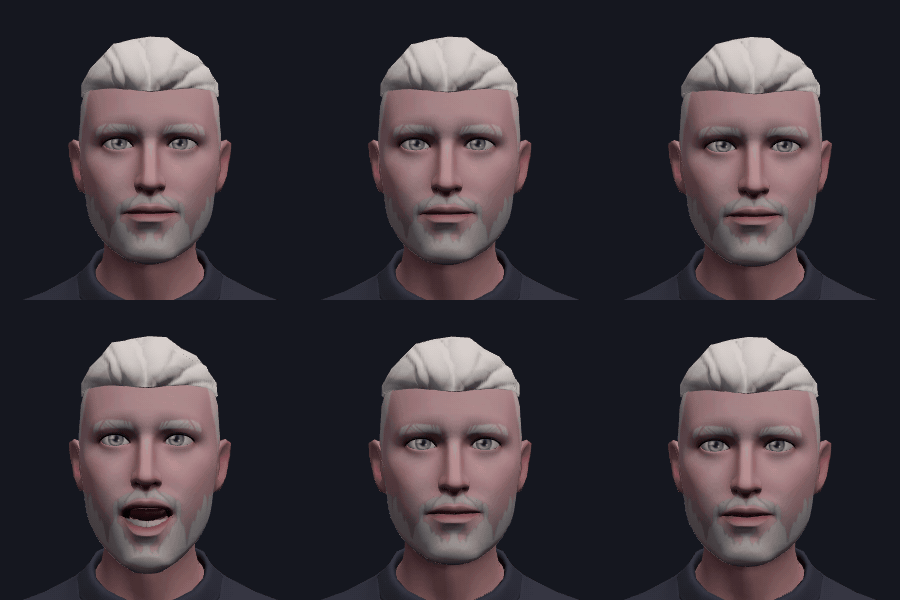
The same analysis drives the VRM avatar’s aa/ee/ih/oh/ou presets, and the simple built-in figure falls back to the jaw.
Step 5: a body that breathes and talks with its hands
With a face that worked, the rest of the body suddenly looked wrong. It stood perfectly still, with arms that hung like a mannequin’s. Every part of the fix below is procedural. It runs on each device, and nothing extra goes over the network.
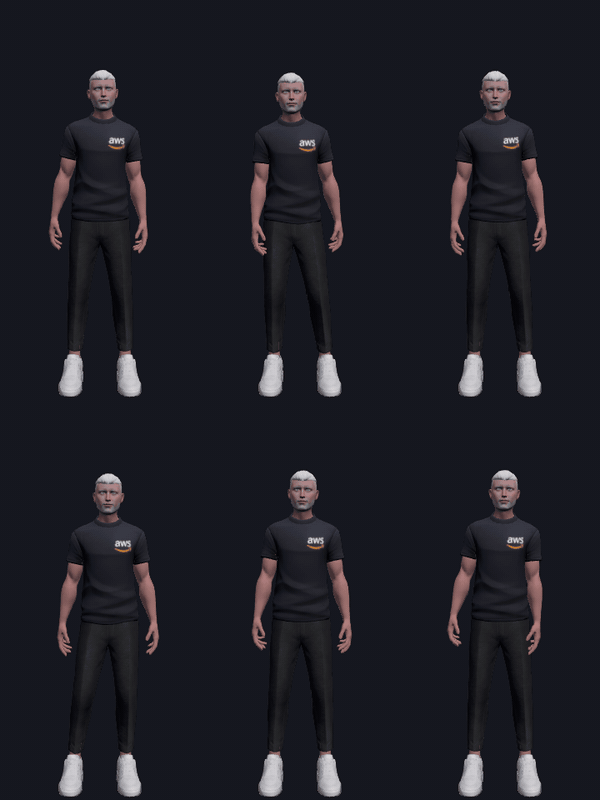
Idle life. Real people are never still:
- Breathing: the chest lifts and the shoulders rise about every four seconds.
- Sway and drift: the torso sways and turns slowly, and the head drifts on its own slower rhythms.
- Gaze: the torso turns a little toward whoever the avatar is looking at.
- Arms: the upper arms drift, and swing slightly against the torso’s sway, as if hanging under their own weight.
Weight shifts. Every few seconds the avatar settles onto one foot:
- The hips move about 6 cm over the standing foot, drop slightly, and dip on the free side.
- Each leg is solved with two-bone IK: given where the hip is now and where the foot was, the knee position follows from the two bone lengths and the law of cosines. So the feet stay planted and the free knee bends.
- The shoulders tilt the opposite way to the hips, the relaxed contrapposto stance.
Hands. The first version of “point” moved the arm and left the hand limp. Now the rig drives every finger joint:
- Curl: each joint curls toward the palm. Which way is “toward the palm” comes from the model’s own rest pose, using the knuckles and where the thumb sits. So it doesn’t depend on how the skeleton’s bones happen to be oriented.
- Forearm twist: turns the palm up for a shrug, or down to calm things.
- Fingers move independently: each curls a little more than the last toward the little finger, open hands fan out, and each finger drifts on its own slow rhythm.
Talking with its hands. People gesture while they speak, mostly without meaning anything specific. That’s hard to get from an LLM in real time, so the renderer does it:
- Phrases: for each phrase or so, the hands move into one of a handful of talking poses in front of the body: palms-up “explaining”, one hand leading, palms down, a precision pinch, or hands together. Sometimes they drop for a phrase.
- Beats: on stressed syllables, the raised hand gives a small down-flick and the head nods slightly. Stress is detected from sudden rises in the lip-sync loudness, the same signal as in step 4.
- Brow flashes: a few of those stressed syllables also get a quick eyebrow raise, as they do in real speech. So does the start of each turn, and the moment someone starts talking to the avatar.
- Emotion: gestures are bigger when the avatar is happy or surprised, and smaller when it’s thinking or concerned.
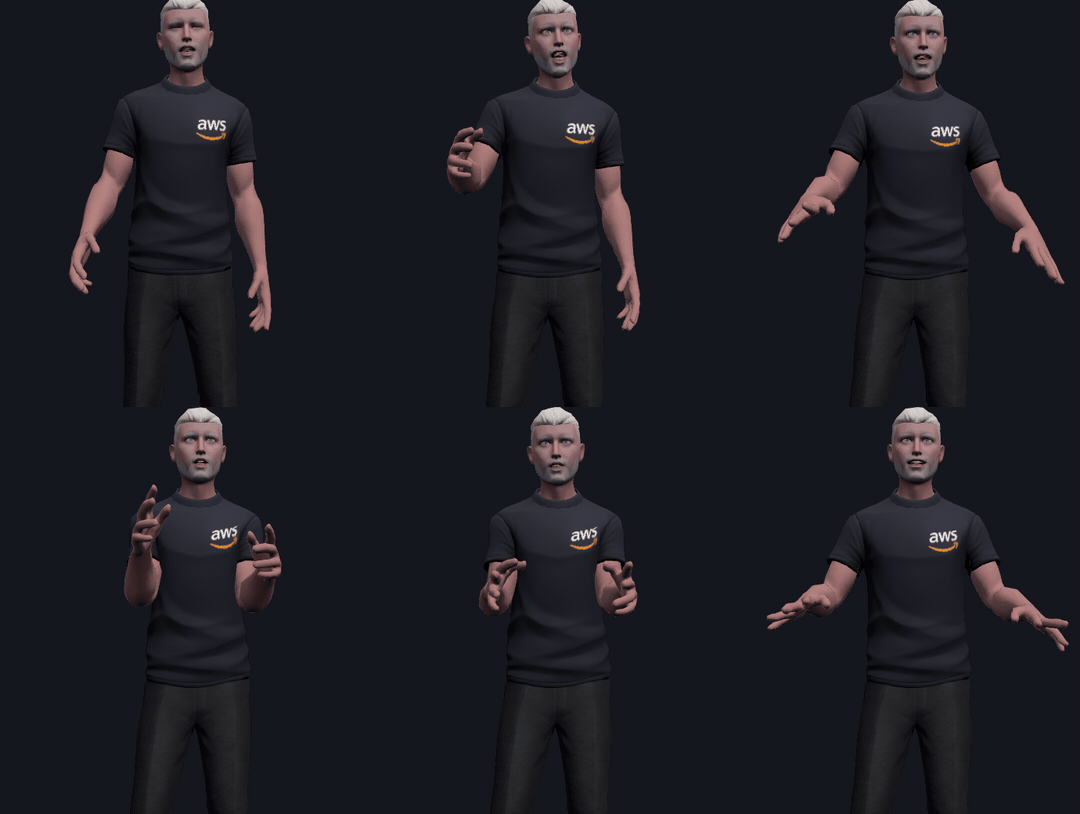
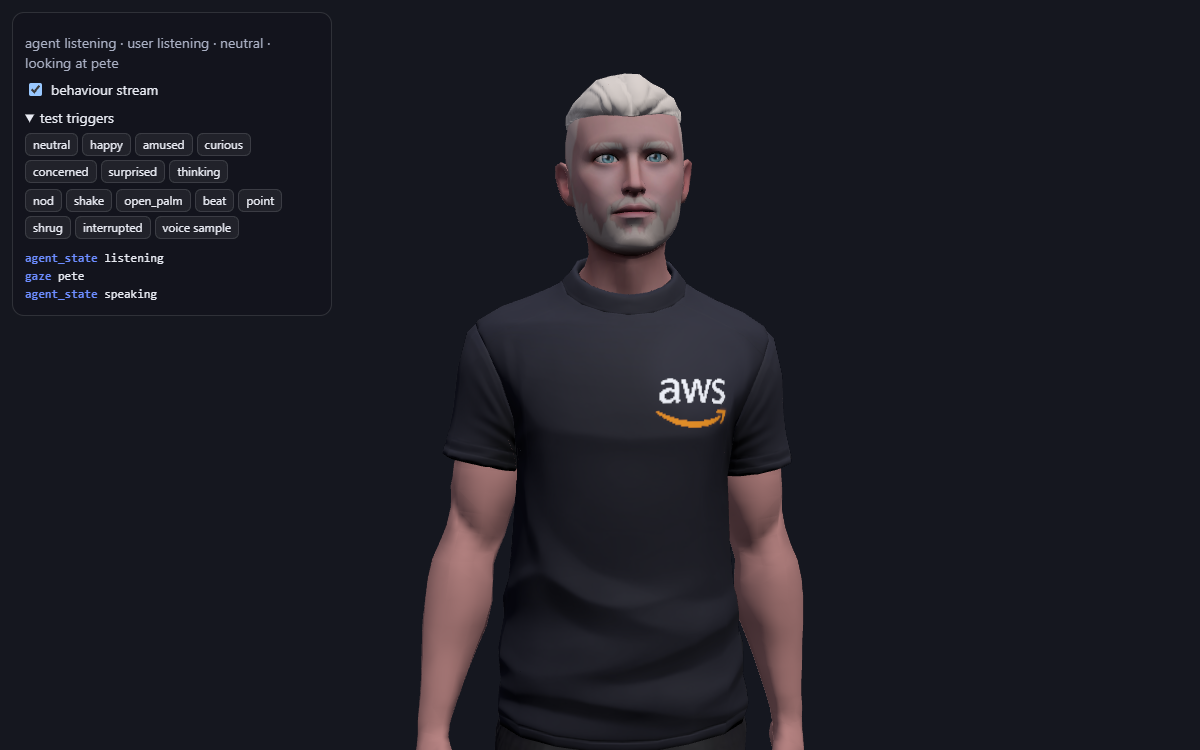
The gestures the agent asks for through the behaviour stream, such as point@sam or shrug, play over all of this. Switching the stream off in the web app leaves lip sync, breathing and weight shifts, so the comparison is fair: everything you lose is what the stream carries.
Try it
- Shape transfer:
tools/blender/transfer_shapes.py. Import both avatars into Blender and run it. It doesn’t matter if your target is a single merged mesh, as long as its eyes and teeth are separate loose parts. - Lip sync:
web/src/lipsync.ts - Talking gestures:
web/src/gestures.ts; idle motion and weight shifts:web/src/behaviour.ts; fingers and leg IK:web/src/avatar/glbRig.ts - In the web app,
?view=facegives a close-up and?view=bodythe upper body. The voice sample test button playsweb/public/voice-sample.wavthrough the lip sync without needing an agent.
Next
Everything here is driven by rules and loudness. The obvious next steps:
- Gestures timed to meaning: the agent could send gesture cues tied to particular words, not just one per reply.
- Mocap or Mixamo clips for richer movement, layered under the behaviour stream’s gaze and head motion.
- More renderers: Quest/Unity and a MetaHuman driven by the same stream, back where this started.
Comments