
From CMP338 to LiveKit: where my talking avatars started
Part 1 of a three-part series on building expressive, real-time AI avatars. Part 2 gets a LiveKit voice agent running; part 3 builds the avatar.
Where this started: CMP338 at re:Invent 2024
At re:Invent 2024, I presented CMP338, “Generative AI-enabled 3D Avatar Assistants on AWS”. It was a whiteboarding session about avatars you can talk to. The demos included a 2D retail assistant, a 3D avatar that translates speech into American Sign Language, and an LLM chat avatar built on Unreal Engine MetaHumans.
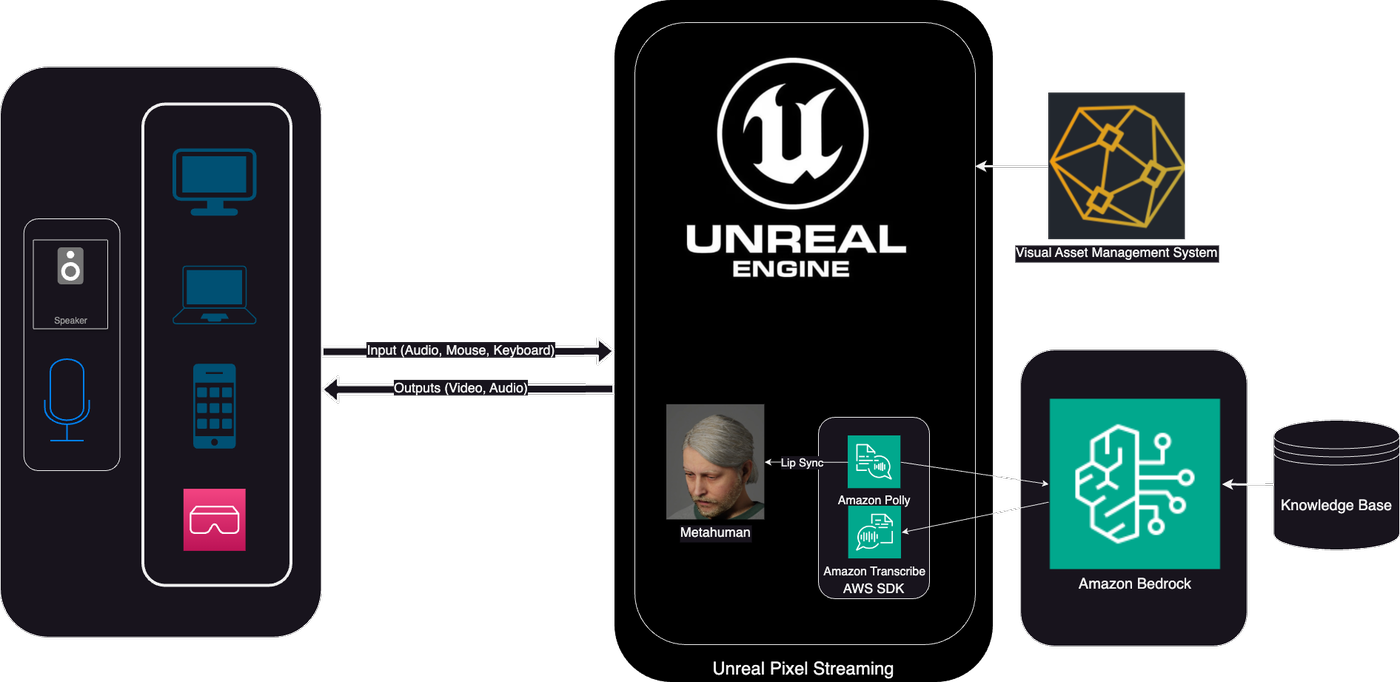
The cloud pipeline was all AWS:
- Speech went in through Amazon Transcribe.
- A Lambda function built a prompt and sent it to Amazon Bedrock, using Bedrock knowledge bases and your choice of model.
- The answer went to Amazon Polly for a voice.
- A lip-sync step ran on EC2.
- The MetaHuman was rendered on G instances and streamed to the browser over Pixel Streaming (WebRTC).

The avatar itself ran inside an Unreal Engine game. Plugins brought in the AWS C++ SDK, MetaHumans and Pixel Streaming. Each rendered frame was streamed to a laptop or phone over WebRTC, or to a headset over OpenXR:

On AWS, the GPU instances sat in an Auto Scaling group in a private subnet behind an Application Load Balancer, with TURN and signalling servers for WebRTC. 3D assets came from the Visual Asset Management System (VAMS):

Scanning my face into a MetaHuman
The MetaHuman in the demo was me. Getting there took a few free tools:
-
Capture: I shot a short video of my head on a Google Pixel 7, capturing my head from all sides.

-
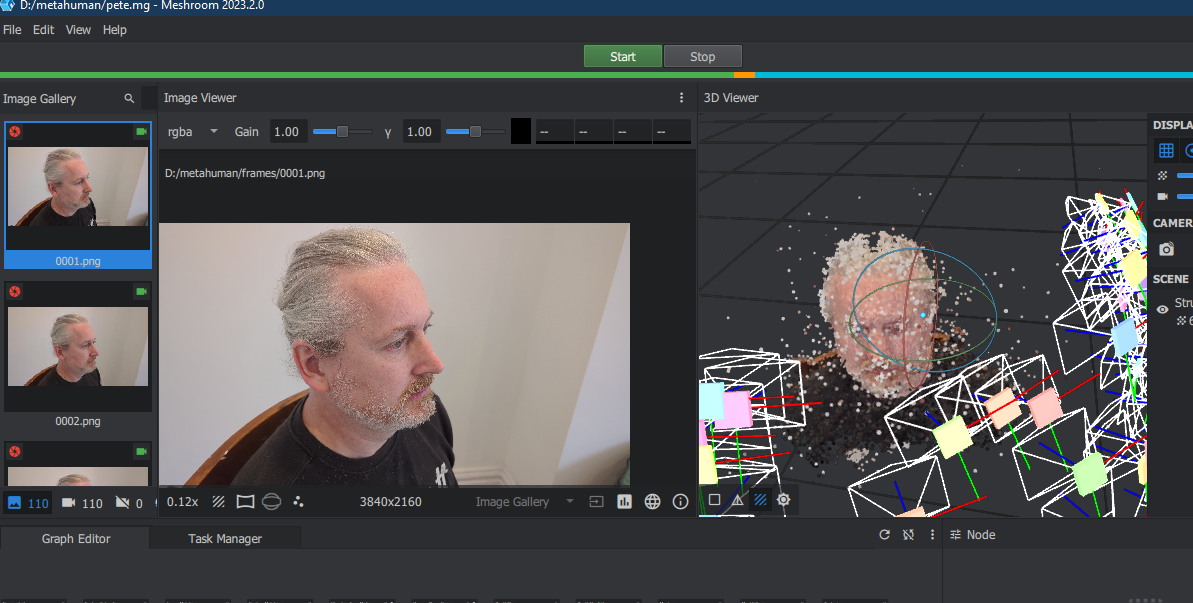
Reconstruct: Meshroom (open source) ran structure-from-motion over the video frames. It matched features across the images, triangulated a point cloud, and built a textured mesh from it. Reality Capture or Polycam would do the same job.
-
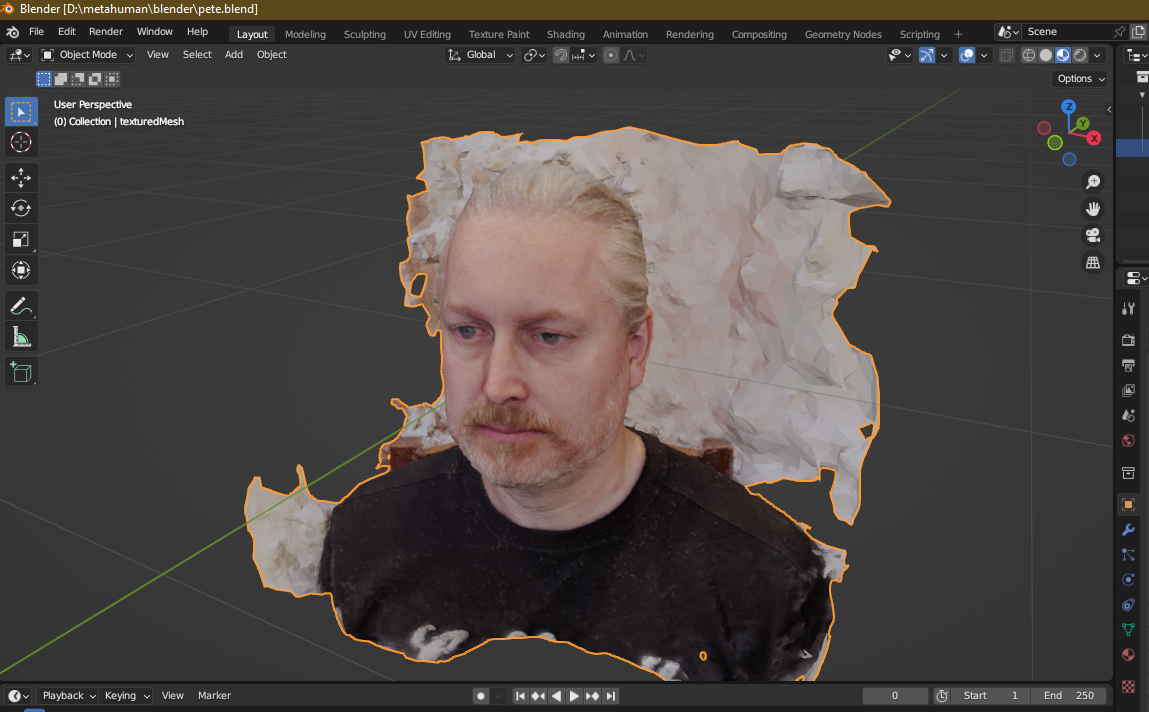
Clean up: I imported the textured mesh into Blender and cropped away everything except the face.
-
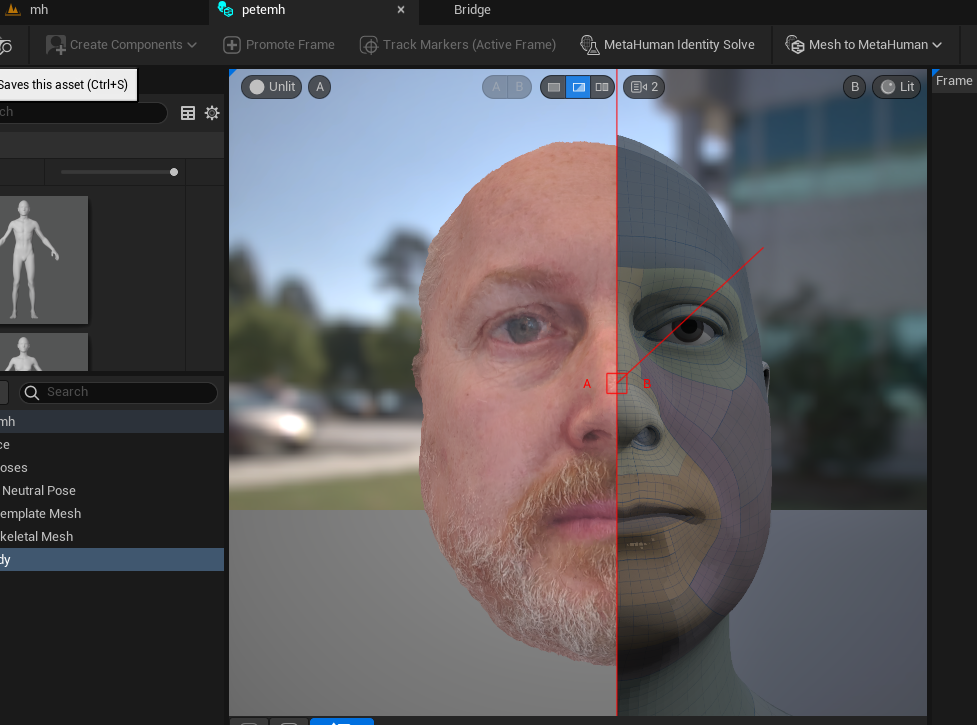
Fit: In Unreal Engine with the MetaHuman plugin, Mesh to MetaHuman fits the MetaHuman topology to the scan. The result is a fully rigged face and skeleton.
-
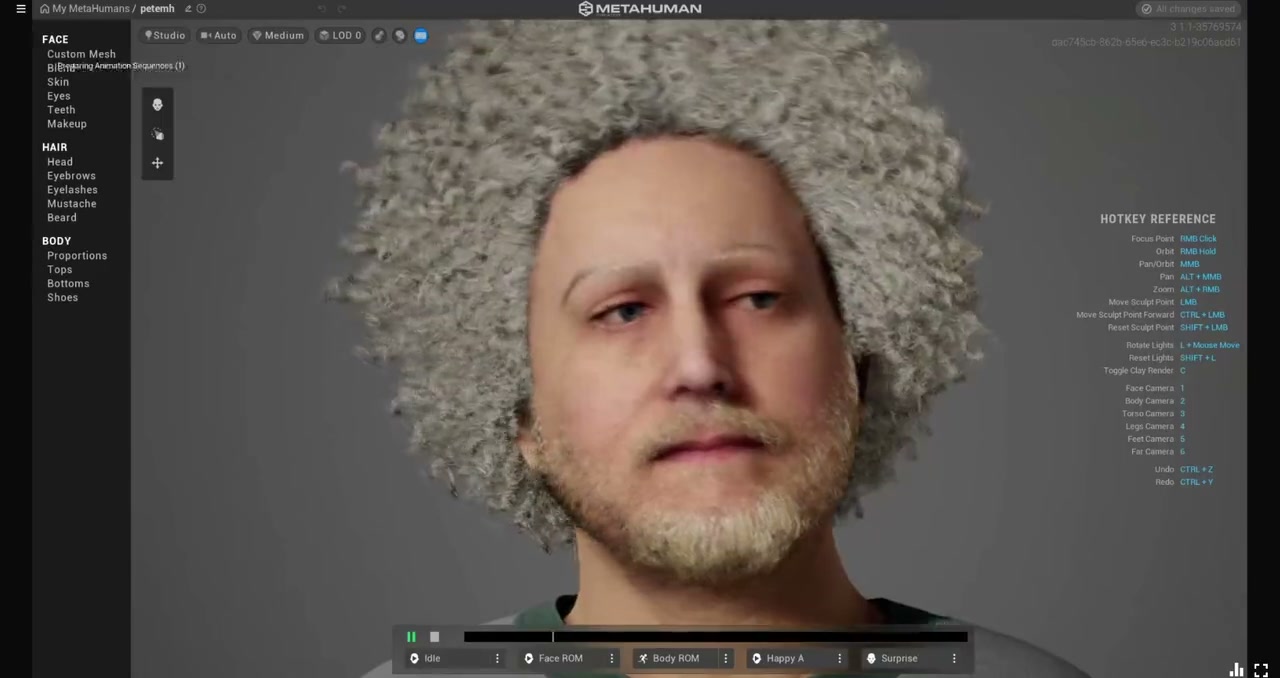
Tweak: Finally I adjusted skin, hair and beard in MetaHuman Creator.
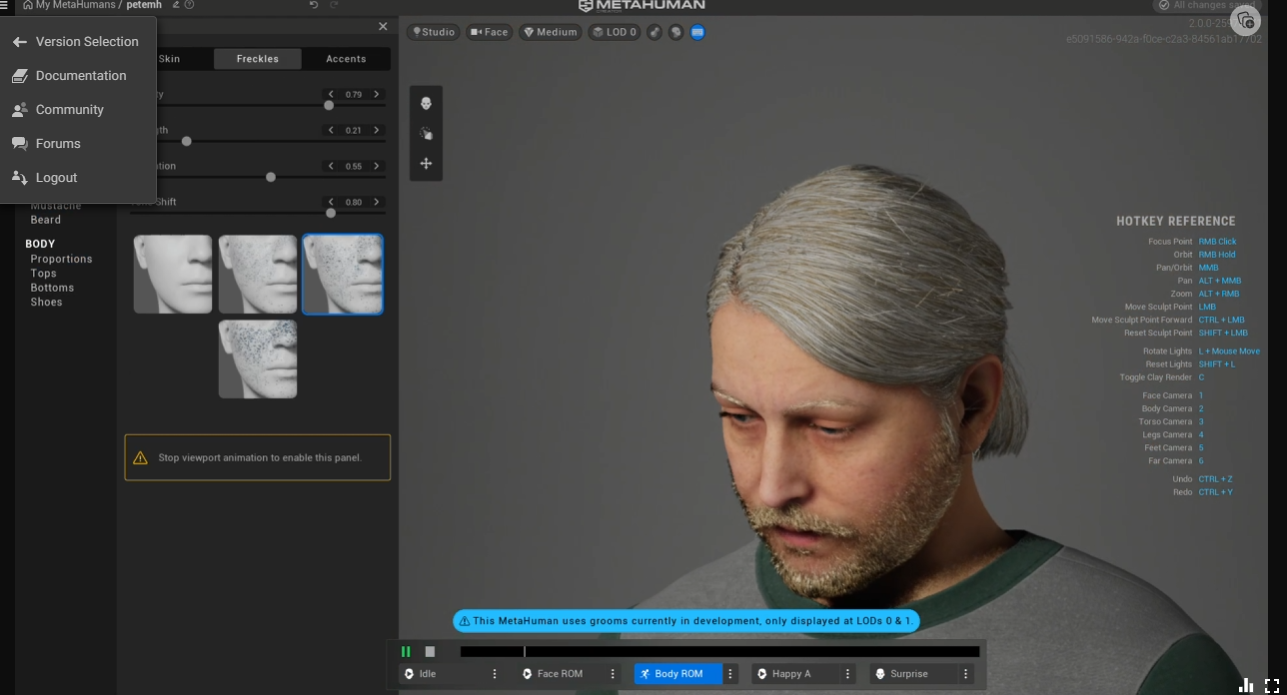
Trying on eyes, hair and beards in MetaHuman Creator:
Keeping voice and face in sync in Unreal Engine
Getting the MetaHuman to speak turned out to be the fiddly part. Each answer arrived at runtime as audio plus the blend-shape animation for the lips. The two had to play back together, frame for frame, however long the answer was.
Unreal’s timeline was the right tool for playing them together, but it’s designed mostly as an editor feature: something you author ahead of time, not something you build while the game is running. So I had to construct the timeline dynamically for every answer, adding the audio and the blend-shape tracks at runtime, so the voice and the lips stayed in sync. Working out how to do that took a while.
I still have the repo. If you’re trying to do the same thing, get in touch and I’m happy to share how it was done.
What was missing
The talk opened with my MetaHuman on the big screen, driven live by an iPhone tracking my face.
It worked, and people enjoyed talking to it. But the avatar only moved its lips. It had no emotions and no hand gestures. It didn’t look at the person talking, nod while they spoke, or shrug when it didn’t know something. A lot of what makes a conversation feel alive just wasn’t there.
The architecture also shaped what was possible. The MetaHuman was rendered in the cloud and streamed as video, so each viewer’s experience depended on a GPU instance somewhere. And everything the avatar did had to be decided inside that one Unreal application.
Where this series goes
This time I wanted to try a different shape:
- A voice agent on LiveKit. Its Agents framework handles speech-to-text, the LLM, text-to-speech and turn-taking in one pipeline.
- A behaviour stream. Next to its voice, the agent sends small messages: emotion, gaze, gestures, listening cues.
- Rendering on the device. Each viewer’s own browser, headset or game engine acts out the stream. Lip sync is worked out locally from the audio.
Why not the MetaHuman?
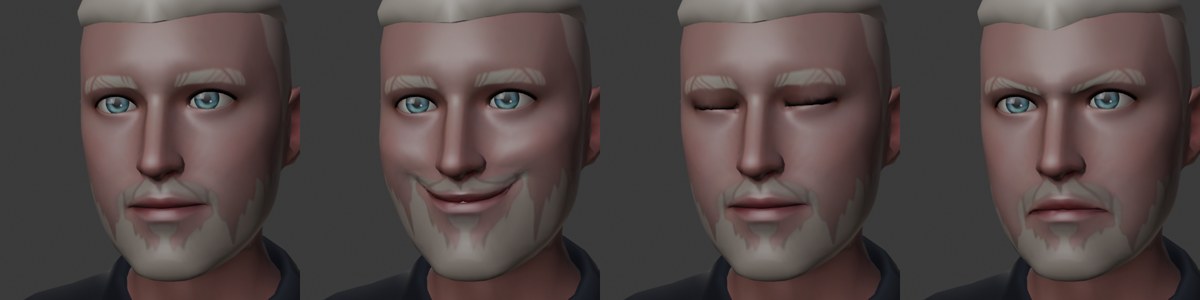
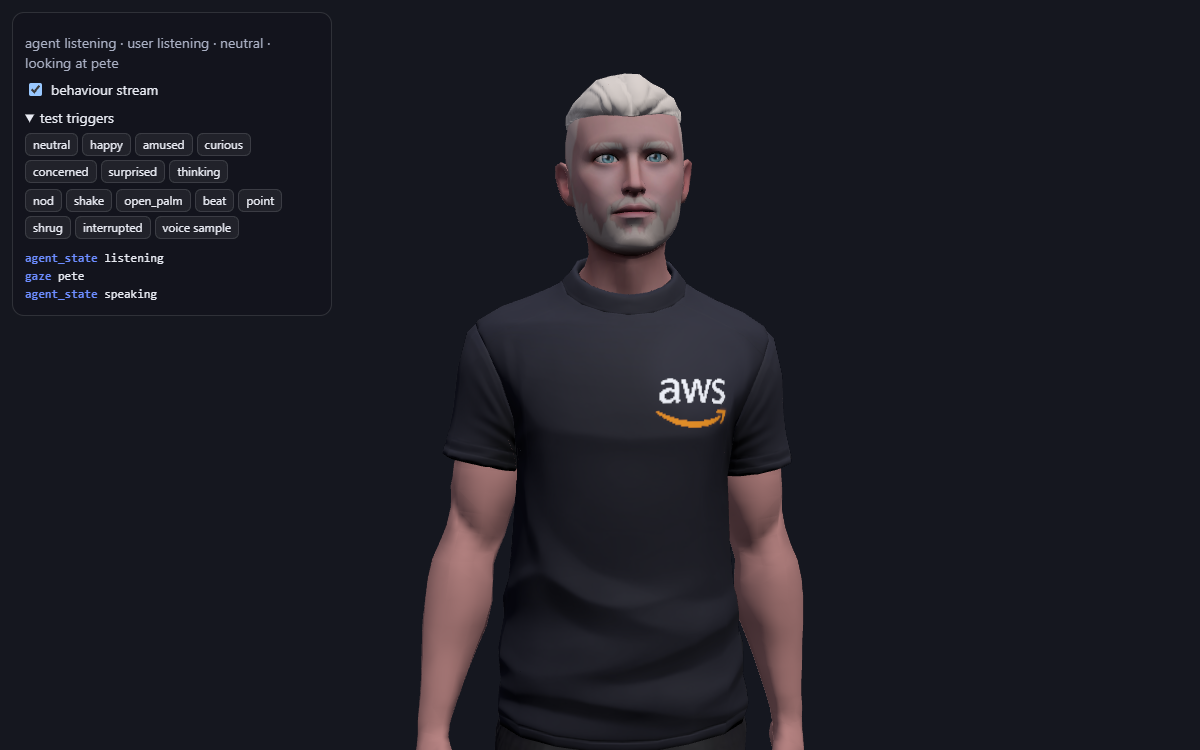
Rendering on the device changes which avatar makes sense. A MetaHuman is a high-end Unreal Engine character. That’s why the re:Invent demo needed GPU instances and Pixel Streaming to reach a browser. For an avatar that runs in an ordinary browser tab or on a Quest, I wanted something much lighter. So this series uses my Ready Player Me avatar: a small glTF file that loads straight into three.js. It also follows the same conventions the behaviour stream relies on, a Mixamo-style skeleton and ARKit blend-shape names, so the same messages can drive either kind of avatar.
The MetaHuman isn’t gone. Because each renderer interprets the same stream, a MetaHuman in Unreal is one of the renderers I want to drive with it later. Lighter avatar first, then back to where this started.
Part 2 explains the behaviour stream and gets the LiveKit agent running from scratch. Part 3 turns my own Ready Player Me avatar, which couldn’t even open its mouth, into one that smiles, talks with its hands and shifts its weight.

Comments